Case study · HaltestellenmanagerBaumgardt Consultants · stop management
How transport operators manage their stops with one shared system
For Baumgardt Consultants, Imping Digital built the stop manager. Transport operators record equipment and condition of their stops, report damage with photos and manage work orders, each operator in its own area.
ResultPer operatorown tenant
Result
Per operator own tenant
Period
2024+
Project
Stop management for transport operators
Building blocks
Stops and positions, Reports with dynamic fields, Field rules
Planning something similar? Tell us about it. In the free first call we’ll work out what your project needs and what it costs.
A stop holds more than passengers notice: poles, signs, timetable displays, shelters, real-time displays. Transport operators need to know what stands where, in what condition, and who takes care of a damage.
Each operator records slightly different data. What was needed was a shared platform that many operators use separately from each other, with forms that can be adapted per operator.
Then there are the steps after capture: damage has to reach the right person, work orders have to be closed in a traceable way and other systems need to take over stop data without manual work.
Many operators, one platformData, users and forms have to be cleanly separated per operator.
Different formsEach operator records different fields at its stops.
From damage to work orderDamage has to be recorded, assigned and tracked.
Connecting other systemsExternal systems need the positions, ideally only the changes.
The decision
In 2024, Baumgardt Consultants commissioned Imping Digital to build the stop manager. Each operator is a team with its own management area; an admin area for us sees all teams.
Capture is deliberately flexible: fields and field groups are set up per team and combined into campaigns. Features such as the API or field rules can be switched on per team.
Roles and permissions control who may see and edit what, down to single fields. Stops and their positions carry coordinates, so capture on site starts from the current location.
Approach
How we went about it.
01
Teams as tenants
A separate management area per operator, features switchable per team.
02
Dynamic fields and rules
Fields per team, field rules to show, hide, require and lock.
03
Damage reports and work orders
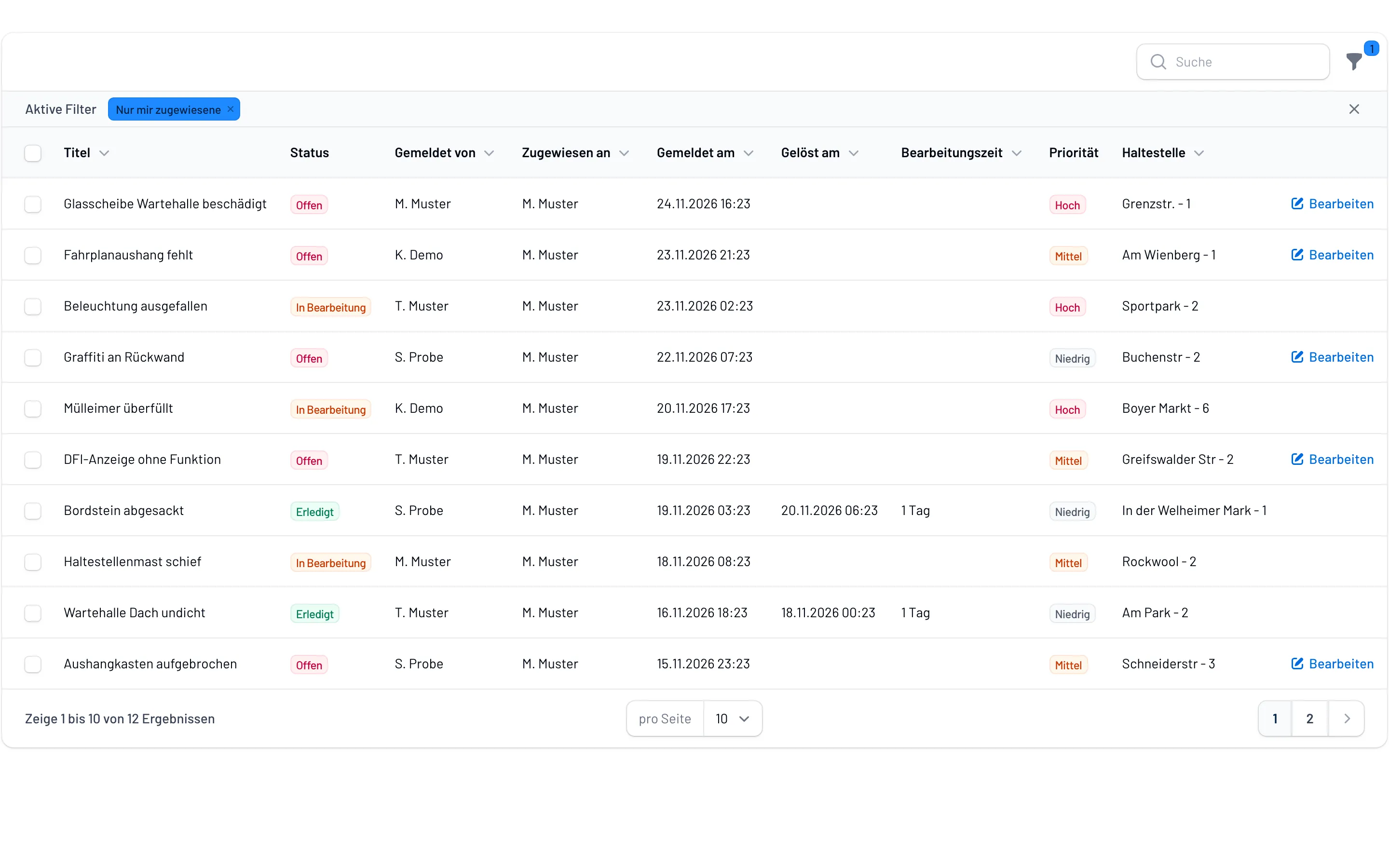
Reports with up to five photos, work orders with assignee and PDF.
04
API with delta sync
Positions as a full set or only the changes since a point in time.
The build
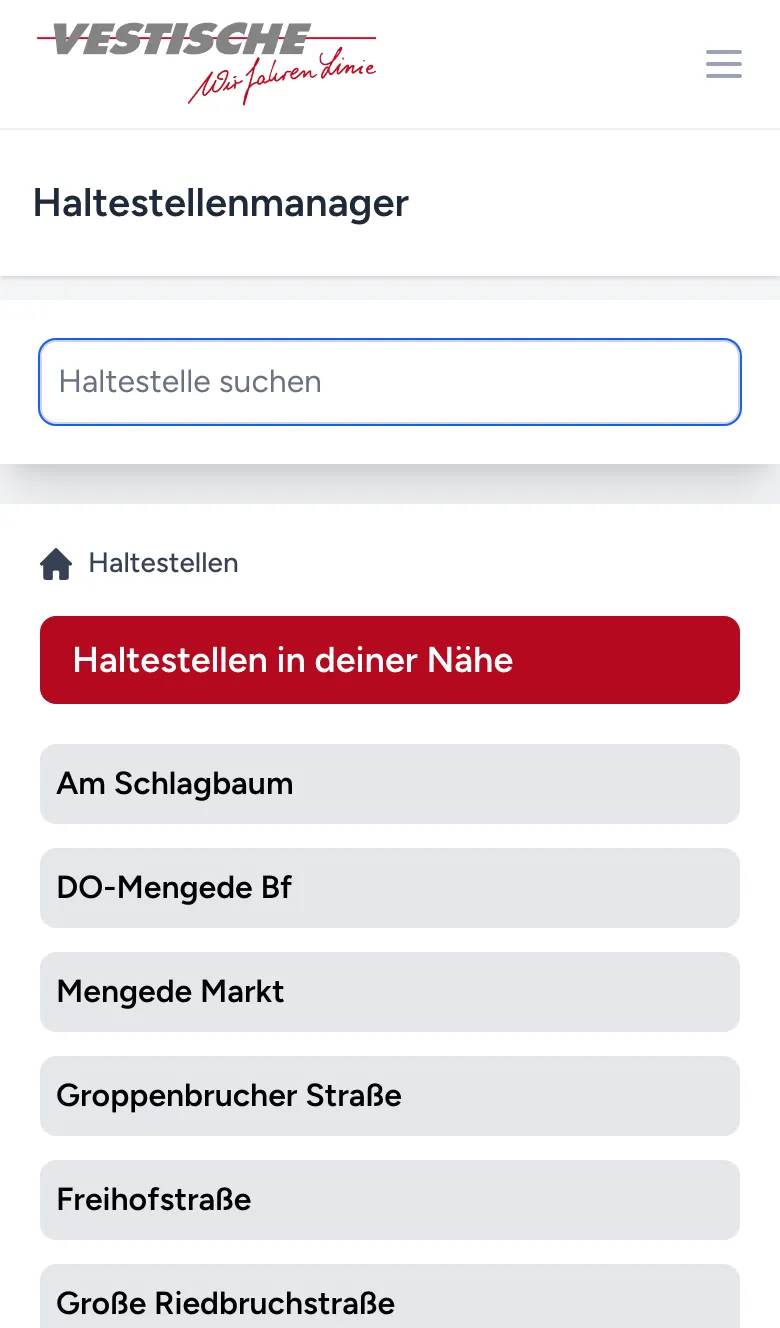
In the field, staff open the stops nearby or along a tour, pick a position and fill in the report. If needed, they correct the location on the map. Damage comes in as a report with up to five photos.
Field rules show or hide fields depending on other answers or the role, make them required or lock them. Damage reports turn into work orders with an assignee that can be downloaded as PDF; reports can be emailed to several recipients.
Through a REST API, external systems fetch positions, either the full set or only the changes since a given point in time. Access requires a token and the API being enabled for the team.
Work orders with status, priority and stop – demo data.On mobile: find nearby stops and report damage on site.
In operation
The stop manager runs at bc-haltestellenmanager.de. Automated tests with Pest and browser tests with Dusk run on every change in GitHub Actions, and backups go to external storage daily.
In November 2026 we upgraded the platform to Laravel 13, Filament 5 and Tailwind 4 and added field permissions. The move to Baumgardt Consultants’ shared Kubernetes cluster is prepared.
New requirements from transport operators come in through Baumgardt Consultants and are built as individual changes with tests. Features an operator does not use yet stay hidden and can be switched on later without rework.
What runs today
In use at bc-haltestellenmanager.de
A separate area per transport operator
Upgraded to Laravel 13 and Filament 5 in 2026
3 learnings from the project
1
Flexible about fields
Setting up fields per team avoids one-off builds for single operators.
2
Rules over variants
Field rules keep one form clear for many cases.
3
Tests in the browser
Browser tests cover workflows that only show up in the interface.